Choosing the right graphic card for gaming can be a confusing task for many US gamers, whether you are building a new PC or upgrading an existing setup. This comprehensive guide helps you understand exactly how much graphic card is required for gaming in 2026, regardless of your budget or desired performance. We dive into common problems like stuttering frames or inability to run modern titles, providing clear solutions tailored to different resolutions from 1080p to 4K and various game types, from esports to demanding AAA blockbusters. Discover the crucial specifications, learn about current GPU generations from manufacturers like NVIDIA and AMD, and find out how to balance performance with your budget. This resource explains the value of VRAM, clock speeds, and advanced features like ray tracing or upscaling technologies, ensuring you make an informed decision for a smooth and immersive gaming experience. No more guesswork, just practical advice for your next gaming GPU purchase.
- What GPU is good for 1080p 144Hz gaming in 2026? - For smooth 1080p at 144Hz, a GPU like the NVIDIA GeForce RTX 4060 Ti or AMD Radeon RX 7700 XT is highly recommended. These cards provide ample power to consistently push high frame rates in most modern games at optimal settings, ensuring a fluid and competitive experience for US gamers.
What is the minimum GPU for good gaming?
For decent 1080p gaming at 60 FPS in most modern titles, a minimum of an NVIDIA GeForce RTX 3050 or AMD Radeon RX 6600 is generally recommended. These cards offer satisfactory performance for entry-level gaming experiences. For more demanding titles, stepping up to an RTX 4060 or RX 7600 provides a smoother experience.
How much VRAM do I need for gaming in 2026?
In 2026, 8GB of VRAM is considered the minimum for 1080p gaming, though 12GB offers better future-proofing for new titles. For 1440p gaming, 12GB is highly recommended, and for smooth 4K gaming with high settings, 16GB or more VRAM is often necessary to prevent performance bottlenecks.
Can I game on a PC without a graphics card?
You can game on a PC without a dedicated graphics card only if your CPU has integrated graphics (iGPU). This is suitable for very light games like older titles or simple indie games at low settings and resolutions. For modern AAA gaming, a dedicated graphic card is absolutely essential for playable frame rates and decent visual quality.
Is a more expensive GPU always better for gaming?
Generally, more expensive GPUs offer better performance, but this isn't always true for everyone. The best GPU for you depends on your specific needs, like your monitor's resolution, the games you play, and your budget. An expensive 4K card is unnecessary if you only game at 1080p. Value often comes from matching the card to your actual requirements.
How important is the CPU compared to the GPU for gaming?
Both the CPU and GPU are crucial for gaming. The GPU handles graphics rendering, while the CPU manages game logic, AI, and physics. A powerful GPU needs a capable CPU to feed it data efficiently, avoiding a
What Graphic Card Do I Really Need for Gaming?
Deciding on the perfect graphic card, or GPU, is arguably the most critical choice when building or upgrading a gaming PC. It directly influences your gaming experience, dictating frame rates, visual quality, and the resolutions you can comfortably play at. Many gamers find themselves lost in a sea of specifications and model numbers, unsure if they are getting too much or too little for their money.
Understanding how much graphic card is required for gaming is not a simple one-size-fits-all answer. It depends heavily on your specific needs, the types of games you play, your monitor's resolution and refresh rate, and of course, your budget. A card perfect for casual 1080p gaming might struggle significantly with demanding 4K titles, leading to frustration and buyer's remorse.
This guide aims to cut through the complexity, offering clear insights into what makes a good gaming GPU and how to pick the right one for your individual circumstances in 2026. We'll explore everything from essential specifications to performance tiers, helping you achieve smooth, enjoyable gameplay without overspending or underperforming.
Understanding Your Gaming Needs: Resolution, Refresh Rate, and Game Types
Before even looking at graphic card models, you need to define your gaming goals. The monitor you own or plan to purchase is a huge factor here. Are you playing on a 1080p monitor, a 1440p display, or a high-end 4K screen? Higher resolutions demand significantly more power from your GPU. For instance, pushing games at 4K resolution requires four times as many pixels as 1080p, translating to a massive increase in processing load.
Beyond resolution, consider your monitor's refresh rate. A 60Hz monitor will only display up to 60 frames per second (FPS), so investing in a GPU that consistently pushes 120 FPS for 1080p gaming might be overkill unless you plan to upgrade your monitor soon. However, for competitive esports players using 144Hz or even 240Hz monitors, maintaining high frame rates is crucial for a fluid and responsive experience. The goal is usually to match or exceed your monitor's refresh rate for the smoothest gameplay.
Finally, think about the games themselves. Are you mostly playing graphically light esports titles like Valorant or League of Legends? These games are less demanding and can run well on more modest graphic cards. If you prefer the latest AAA titles such as Cyberpunk 2077 or Alan Wake 2 with all settings cranked up, especially with ray tracing enabled, you will need a substantially more powerful GPU to prevent performance bottlenecks and ensure an enjoyable visual experience. Understanding these personal preferences forms the bedrock of choosing the right hardware.
Matching GPUs to Performance Tiers for Optimal Gameplay
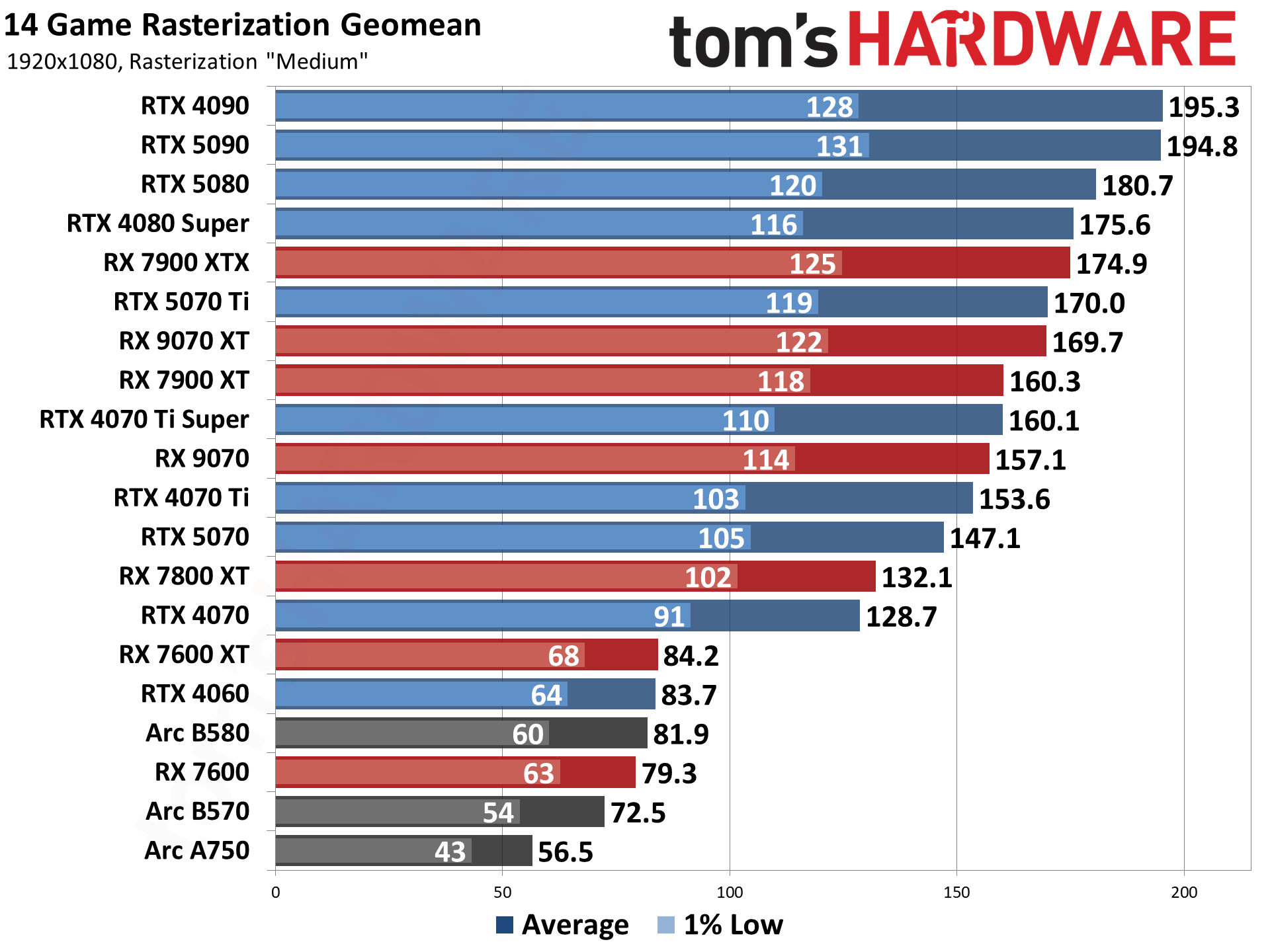
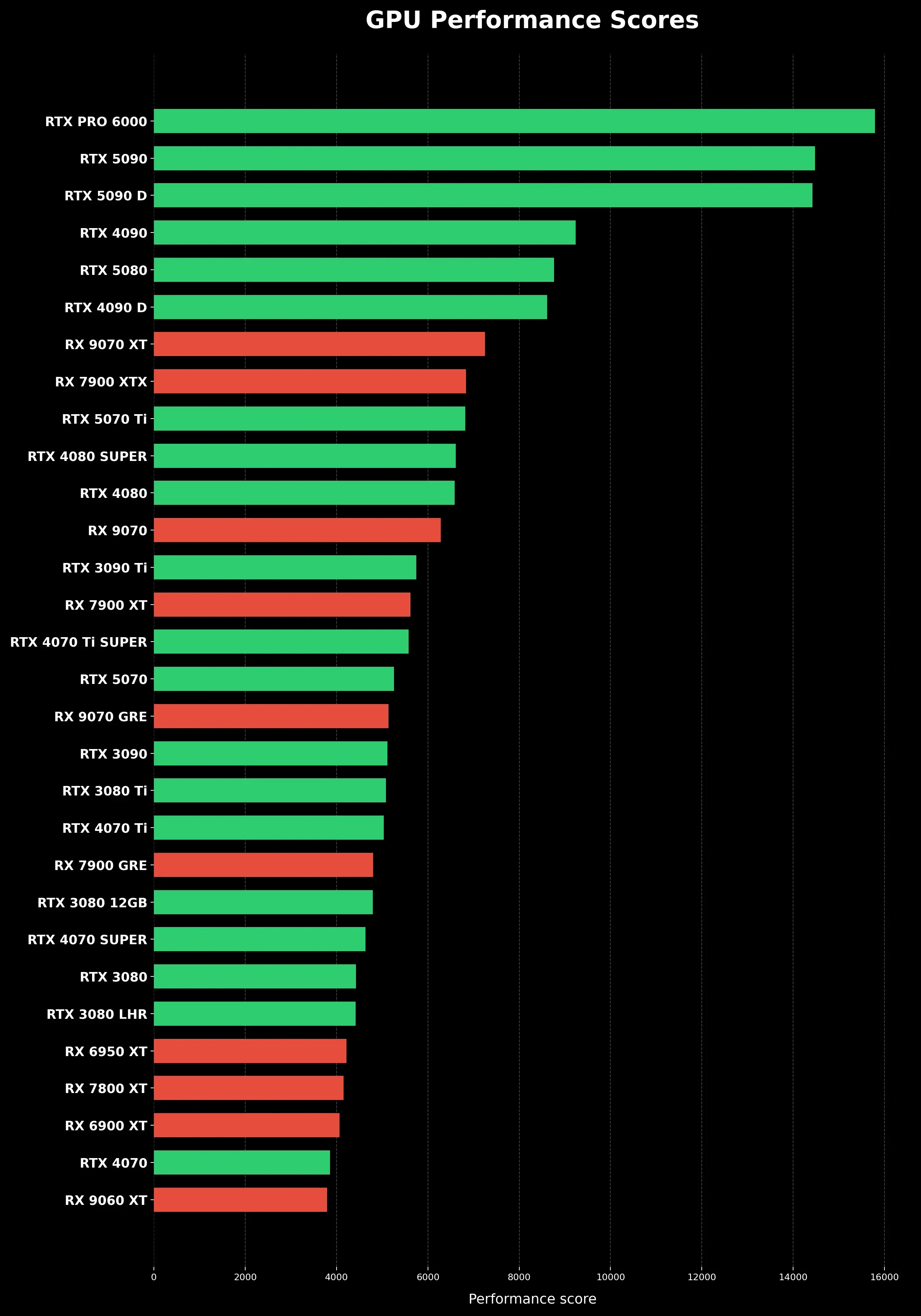
Graphic cards are generally categorized into different performance tiers, which can help simplify your decision. For entry-level 1080p gaming, especially for esports or older titles, cards like the NVIDIA GeForce RTX 4060 or AMD Radeon RX 7600 often provide excellent value. These cards deliver solid 60+ FPS performance at medium to high settings, making them perfect for gamers on a tighter budget who still want a respectable experience.
Moving up, mid-range GPUs are the sweet spot for many gamers, targeting high-refresh-rate 1080p or comfortable 1440p gaming. Options such as the NVIDIA GeForce RTX 4070 SUPER or the AMD Radeon RX 7800 XT are powerful contenders here. These cards can handle most modern AAA games at 1440p with high settings, often achieving 60-90 FPS, and excel at 1080p with very high frame rates, ideal for competitive play on high refresh rate monitors.
For enthusiasts demanding the best 4K gaming experience or wanting to push ultra-high frame rates at 1440p with ray tracing, high-end graphic cards are necessary. This tier includes top-of-the-line GPUs like the NVIDIA GeForce RTX 4080 SUPER or the AMD Radeon RX 7900 XTX. These powerful cards are designed to deliver exceptional performance in the most graphically intensive games at the highest settings, often incorporating advanced features that significantly enhance visual fidelity and immersion, though they come with a premium price tag.
Key Specifications to Consider When Choosing Your Graphic Card
Beyond the model name, several key specifications impact a graphic card's performance. Video RAM, or VRAM, is particularly important. This dedicated memory stores game textures and other data, allowing the GPU to access it quickly. For 1080p gaming, 8GB of VRAM is generally sufficient. However, for 1440p gaming and especially 4K, 12GB or even 16GB of VRAM is highly recommended to prevent stuttering or performance dips, particularly in graphically demanding titles with high-resolution textures.
The GPU's clock speed, measured in MHz or GHz, indicates how fast the processing cores operate. While higher clock speeds generally mean better performance, comparing clock speeds directly between different architectures or manufacturers isn't always accurate. It's more useful when comparing cards within the same product line. Similarly, CUDA cores for NVIDIA or Stream Processors for AMD are the processing units within the GPU; more cores usually mean more raw processing power for parallel tasks, which games heavily rely on.
Another vital, yet often overlooked, aspect is the cooling solution. A powerful GPU generates a lot of heat, and effective cooling ensures stable performance and longevity. Cards with larger heatsinks and multiple fans typically perform better under load and are quieter. Power consumption and the physical size of the card are also practical considerations; ensure your PC case has adequate space and your power supply unit (PSU) can provide enough wattage with the necessary connectors. Many users encounter issues if their PSU is insufficient for their new, more powerful GPU.
Budgeting for Your Gaming PC: GPU Cost vs. Overall Build
When considering how much graphic card is required for gaming, it's essential to view the GPU's cost within the context of your entire PC build. A common rule of thumb is to allocate approximately 30-40% of your total budget to the graphic card. This balance ensures you don't create a bottleneck by pairing an ultra-powerful GPU with a weak CPU, insufficient RAM, or a slow storage drive, which would limit the graphic card's potential.
For example, a gamer aiming for a $1000 PC build might comfortably spend $300-$400 on a mid-range 1080p or entry-level 1440p capable graphic card. If your budget stretches to $2000, you could consider a $600-$800 GPU capable of strong 1440p or even entry-level 4K performance. It's crucial to also factor in the cost of other components like the CPU, motherboard, RAM, storage (SSD is a must for gaming), power supply, and case.
Can you get a good GPU on a tight budget? Absolutely! The used market can offer excellent value, but research thoroughly and purchase from reputable sellers. Alternatively, keep an eye on sales and consider previous-generation cards as new models are released. These can often still deliver fantastic performance for 1080p or 1440p gaming at a fraction of the cost of the latest flagships. The key is smart allocation and understanding where your dollar provides the most performance uplift for your gaming goals.
Future-Proofing and Upgrades: Staying Ahead in the Gaming World
While true future-proofing in technology is a myth, you can make choices that extend your graphic card's lifespan before needing an upgrade. Opting for a GPU with a generous amount of VRAM (12GB+ for higher resolutions) is one such strategy, as game textures are constantly becoming more detailed. Additionally, choosing a card that supports the latest generation of APIs like DirectX 12 Ultimate and features like PCIe Gen 4 or Gen 5 will ensure compatibility with future motherboards and technologies.
Modern graphic cards come with advanced features like NVIDIA's DLSS (Deep Learning Super Sampling) and AMD's FSR (FidelityFX Super Resolution), which use AI or intelligent upscaling techniques to render games at a lower resolution and then upscale them to your target resolution without a significant loss in visual quality. This can provide a substantial performance boost, allowing a mid-range card to sometimes punch above its weight, especially at higher resolutions or with ray tracing enabled. These technologies are continually evolving and becoming more efficient, making them an important consideration.
Knowing when to upgrade depends on your personal satisfaction. If you are consistently unable to achieve your desired frame rates at your preferred settings, or if newer games simply won't run smoothly, it's probably time to look for a new graphic card. Keep an eye on tech reviews and benchmarks for the games you play to understand where your current GPU stands relative to newer offerings. Planning your upgrade around major product launches can also be a smart move, as older models often see price reductions.
Ultimately, choosing the right graphic card means finding a balance that aligns with your gaming aspirations and financial capacity. By understanding the core factors discussed in this guide, you are well-equipped to make an informed decision that will provide countless hours of enjoyable gaming well into 2026 and beyond.
gaming graphic card requirements, what GPU for 1080p gaming, best graphics card for 1440p, how much VRAM for gaming, future proof gaming GPU, affordable gaming graphics card, GPU for competitive gaming explained
35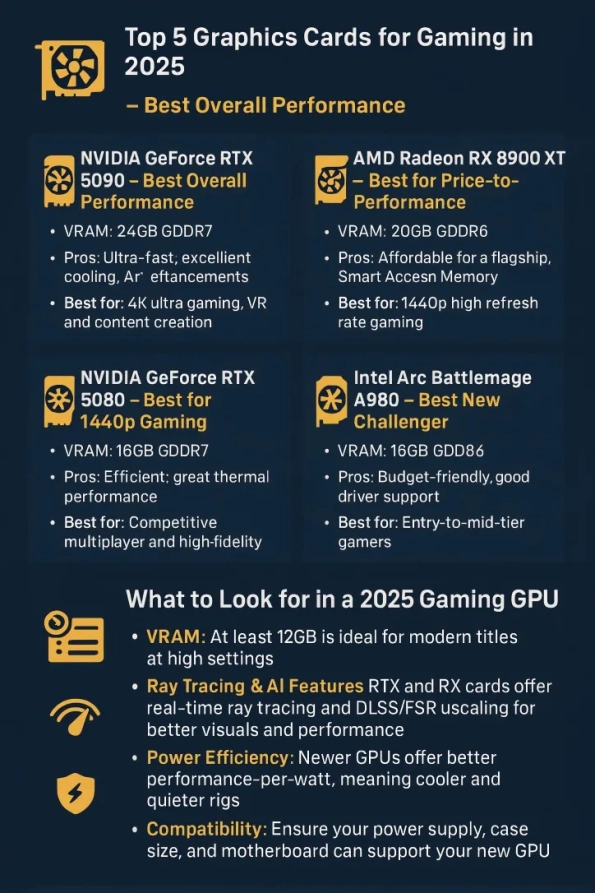


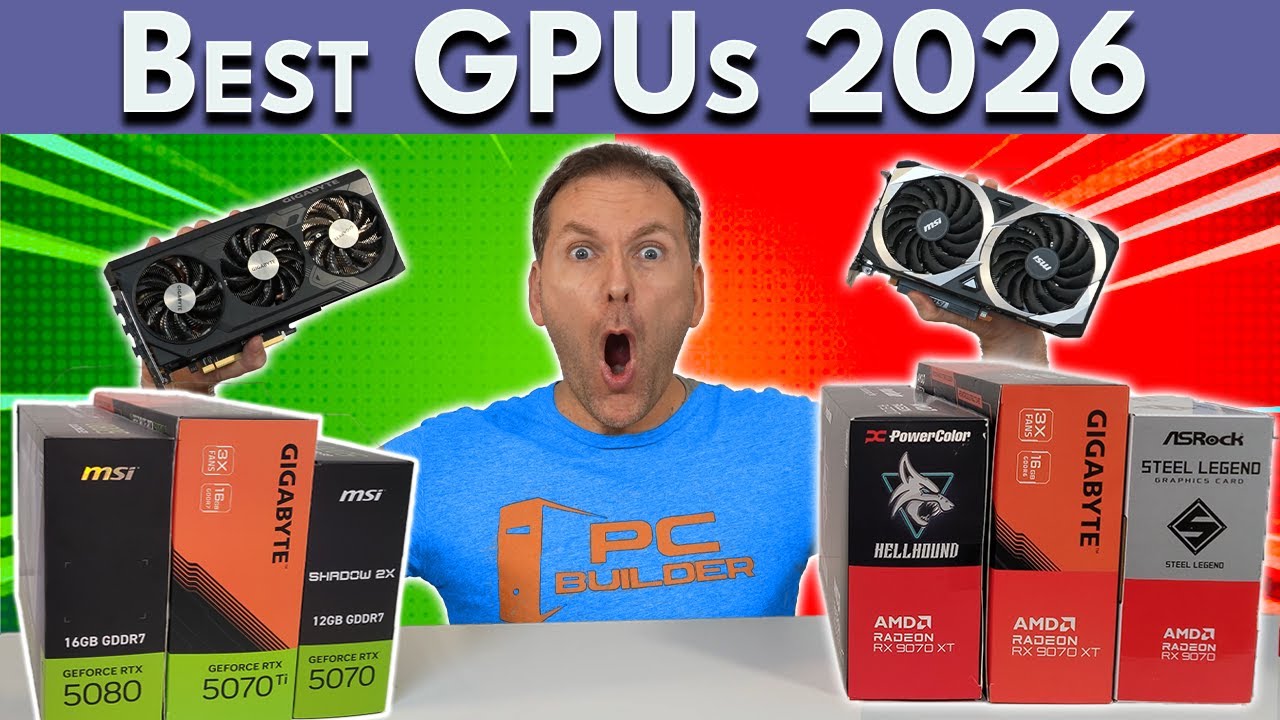
Best Graphics Cards 2026 Ultimate GPU Buyer S Guide Best Graphics Cards For Gaming. Nvidia Shelves 2026 Gaming GPUs To Focus Limited Memory Supply On AI . Best Graphics Cards For Gaming In 2026 Top Graphics Cards Enfobay Best Graphics Cards 2026 For Gaming . 12 Best Budget Gaming Graphics Cards 2026 GPUs Under 350 Best Graphics Cards GPUs Laptops 1024x559 . Best GPUs For Gaming 2026 1080p 1440p 4K YouTube


An Lisis De Precios De Tarjetas Gr Ficas En 2026 Comprar Ahora O . Best Graphics Cards 2026 5 For Gaming Revealed YouTube . Best Graphics Card 2026 Comparison Ranking And Buying Guide For PC Gpu Performance Scores Clean Vertical. Best Graphics Card 2026 Top GPUs For Gaming AI Value Best Graphics Card 2026 . Good Graphics Card Best Graphics Card

16 Pin Power Connector Gets A Much Needed Revision Meet The New 12V . Best Graphics Cards For Gaming 2026 Onix BD Best Graphics Card For Gaming And 600x315h .webp. Best Graphics Cards For Gaming In 2026 For 1080p 1440p And 4K 1920 80 1 . 10 Best Graphics Cards For 4K Gaming August 2026 Expert Reviews Best Graphics Cards For 4K Gaming . 5 Best Small Form Factor Graphics Cards August 2026 Best Graphics Cards GPUs For Casual Gaming 600x600


Best GPUs Graphics Cards For Gaming At 1440p In 2026 YouTube . Top 5 Graphics Cards 2026 Best Value For Gaming 4K YouTube . Best GPUs Graphics Cards For Gaming For Every Resolution Summer 2026 . What S The Best Gaming GPU In 2026 For Every Budget YouTube . How To Remove A Graphics Card Best Deal Graphics Cards 2026 Main


Latest Graphics Cards For Gaming In 2026 UK Budget 1440p 4K Ranked Best Latest Graphics Cards 2026 Uk 430x287 . Amazing Graphics Cards 2026 Top 10 GPUs For Gaming Amazing Graphics Cards . Amazing Budget Graphics Cards GPUs Laptop 10 Models Tested 2026 Best Budget Graphics Cards For 1080p Gaming 900x600 . 9 Best Graphics Cards For 1440p Gaming August 2026 Best Graphics Cards 1440p Gaming 1024x572 . Best Gpus For Gaming 2026 Best Graphics Card
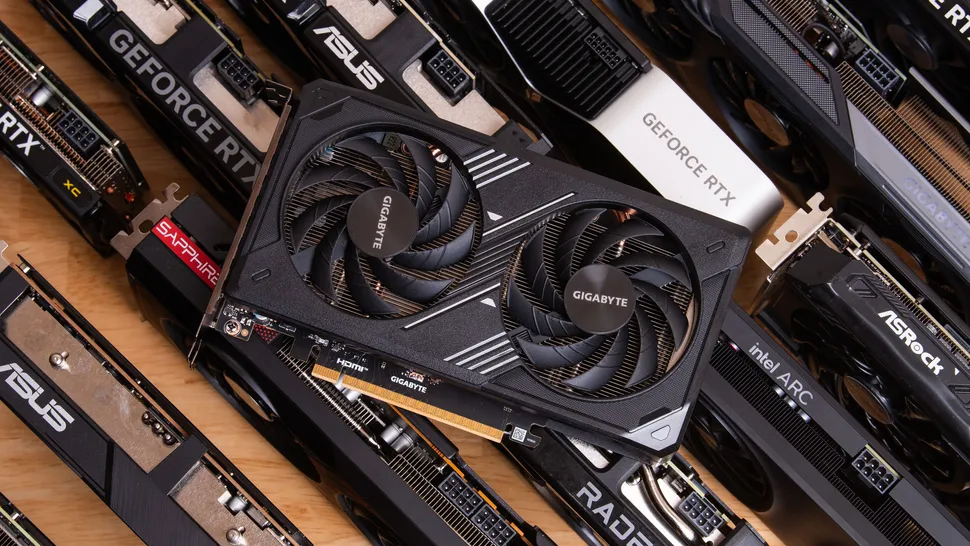


Gaming Laptop Buying Guide In BD Graphics RAM Processor Explained Gaming Laptops Guide For Bangladesh Jinishpotro 1024x683 . Why Are Graphics Card So Expensive Robots Net Why Have Graphics Card Prices Skyrocketed 1697727664 . Updated Intel Says It Remains Committed To Its Arc Graphics Project . Best Graphics Card 2026 Build The Ultimate Gaming PC Best Graphics Card 820x461 . Best Gaming GPU 2026 Top Graphics Cards For Every Budget Switchblade Best Gaming Gpu 2026.webp
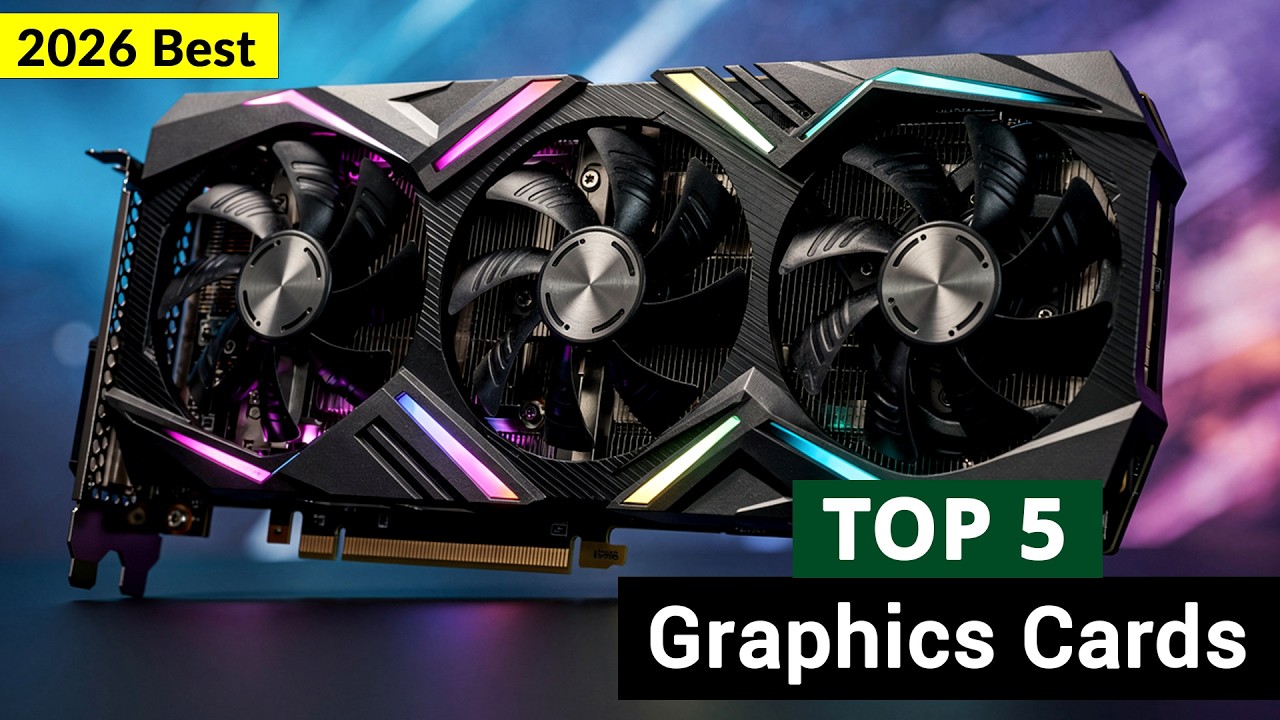
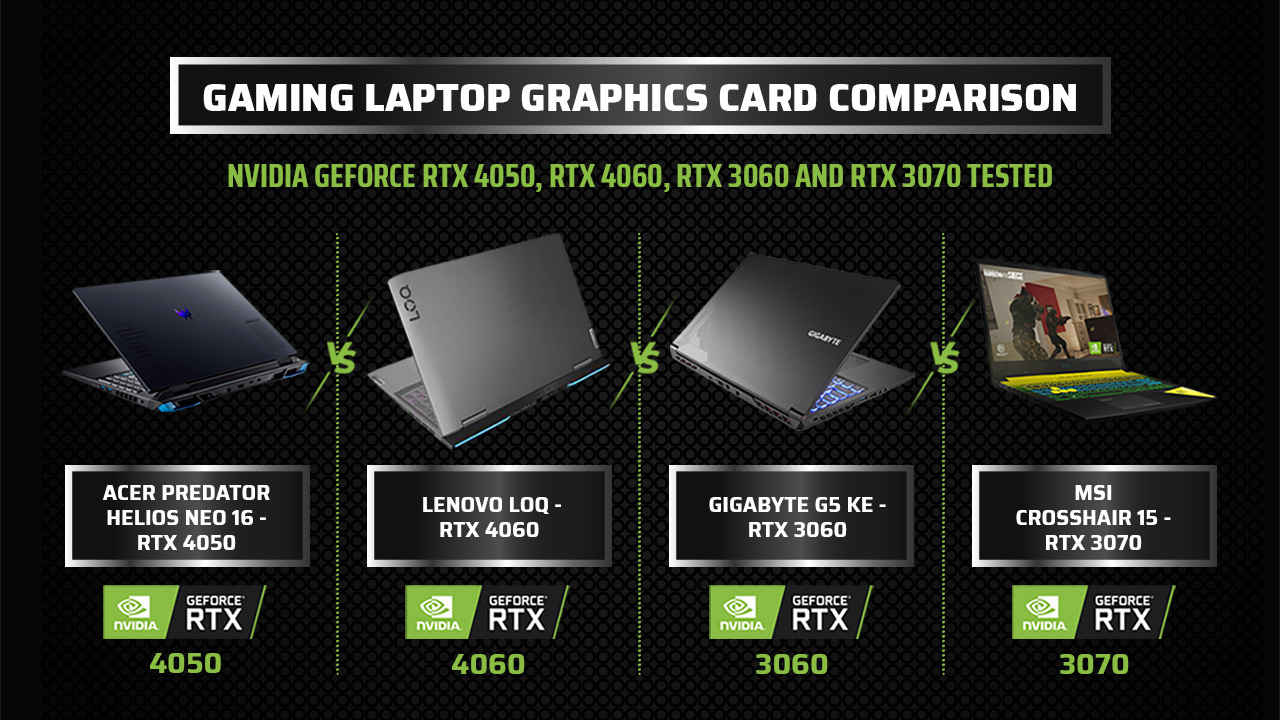


Top 5 Best Gaming Graphics Cards In 2026 For Every Budget YouTube . Laptop Graphics Card Repurposed NVIDIA GeForce RTX 3060M Graphics Card Laptop Gpu D38a4c0815 . 10 Best Graphics Cards GPUs For Deep Learning May 2026 Best Graphics Cards GPUs For Casual Gaming 900x600 . Best Graphics Cards For FPS Gaming 2026 Expert Competitive Guide Featured Image 08jnrrod 300x210 . The Best Graphics Cards For Gaming In 2026 Best GPUs Of 2025 Blog Feature Image Facebook Text